Search every drive you own, even the ones on the shelf
Somewhere in a drawer is a drive, and on it is the file you need. Drive Atlas remembers what is on every drive, so you can find that file without plugging anything in.
The problem
If you shoot for a living, your archive ends up spread across a pile of external drives. Most of them sit unplugged. A few have useful names. Two are probably both called "My Passport."
When a client asks for a file from three years ago, the usual way to find it is to plug drives in one at a time and click through folders until you get lucky. That can take an afternoon.
How it works
- Scan each drive oncePlug a drive in and press Scan Drives. Drive Atlas records every file name, size, date and folder. Then you can unplug the drive and put it back on the shelf.
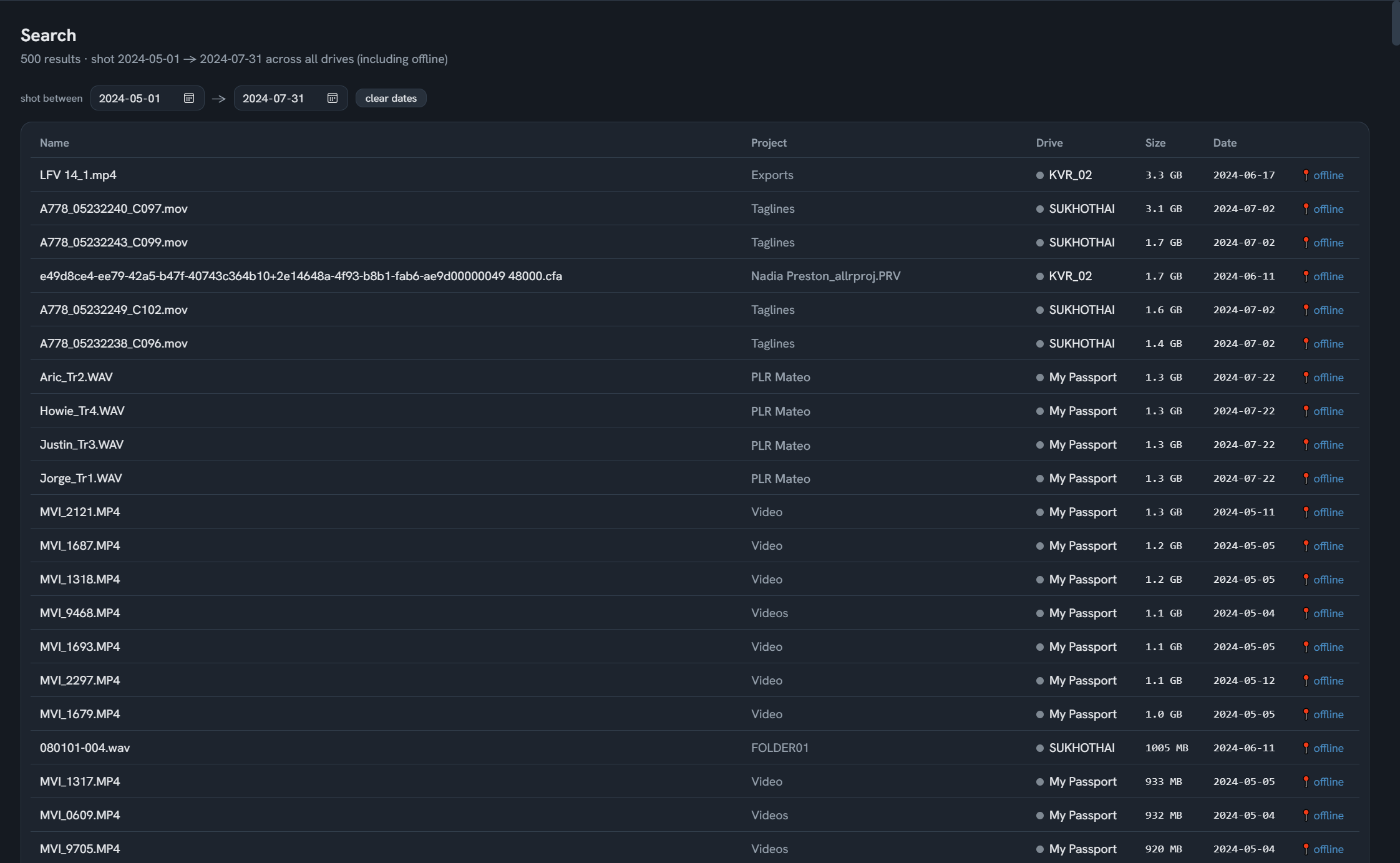
- Search everything from one boxType part of a file name, a project or a folder. Results come from every drive in the catalog, plugged in or not. You can also search by the date a photo was shot, or limit results to video, RAW, or offline drives.
- Go get the right driveEach result shows which drive the file is on and where that drive lives, if you gave it a location like "top shelf" or "studio rack." Plug it in and click Open.
Good to know
What it can't do
Drive Atlas can only search what it has scanned. It catalogs names, sizes, dates and folders, not the words inside documents, and it doesn't look inside zip files. It never needs an internet connection to search.
Questions
Can I search a hard drive without plugging it in?
How do I find which external drive a file is on?
Does it work with camera RAW and video files?
Does it upload my file list anywhere?
Free for your first 2 drives
Every feature included, no timer. $20 once maps all of them. Windows and Linux, no account, zero network connections.
Download freeBuy · $20